

Construction SOP software your team will actually follow
Put your standards, best practices, and know-how in a playbook your office and field teams can use. Know the work got done the way you expect.

Your Company Playbook
- Processes
- Tasks
- Policies
- Roles
Project Startup Process
- 1
Review contract and project scope
Project ManagerView how-to · 5 steps - 2
Complete estimator-to-PM handoff
EstimatorView how-to · 4 steps - 3
Confirm permits and approvals
Project ManagerAdd how-to - 4
Prepare the site safety plan
Safety ManagerAdd how-to
Project Startup Process playbook preview.
Built for general contractors, home builders, and trade contractors





Get your standards out of your head and in front of your team.
You already know how the job should be done. Subtrak puts it where your team can use it, in the office or on the job.
Get it out of your head
Write down the steps and details you’ve learned over the years. Start with one process, like project startup, and build from there.
Keep it in one place
Your SOPs, how-tos, and company policies live in one playbook. Your team always knows where to look.
Put it on their phone
Add your crew with just a phone number. No app to download, no password to remember. Subtrak texts them when they have something due, or they scan a QR code on site.
Build your company playbook with the help you need.
Build it yourself
Describe the SOP you want to document
Start from a construction template, talk it through and let AI write the first draft, or write your own. Then make it match how you do the work.
Have us build it with you
Work one-on-one with Jon, a third-generation contractor. In 30 days, we build your nine core project systems with you and get them into your team’s hands.
Written down isn’t the same as done.
Start with your playbook. When you’re ready, run any process on a job. Subtrak reminds the right person when they have something due and shows you it got done the way you expect.
Write it down
Write what needs to happen and add the how-to your team needs.
Use it on a job
Run the process on a project or on a schedule. Each step goes to the right person, with a due date.
Know it got done
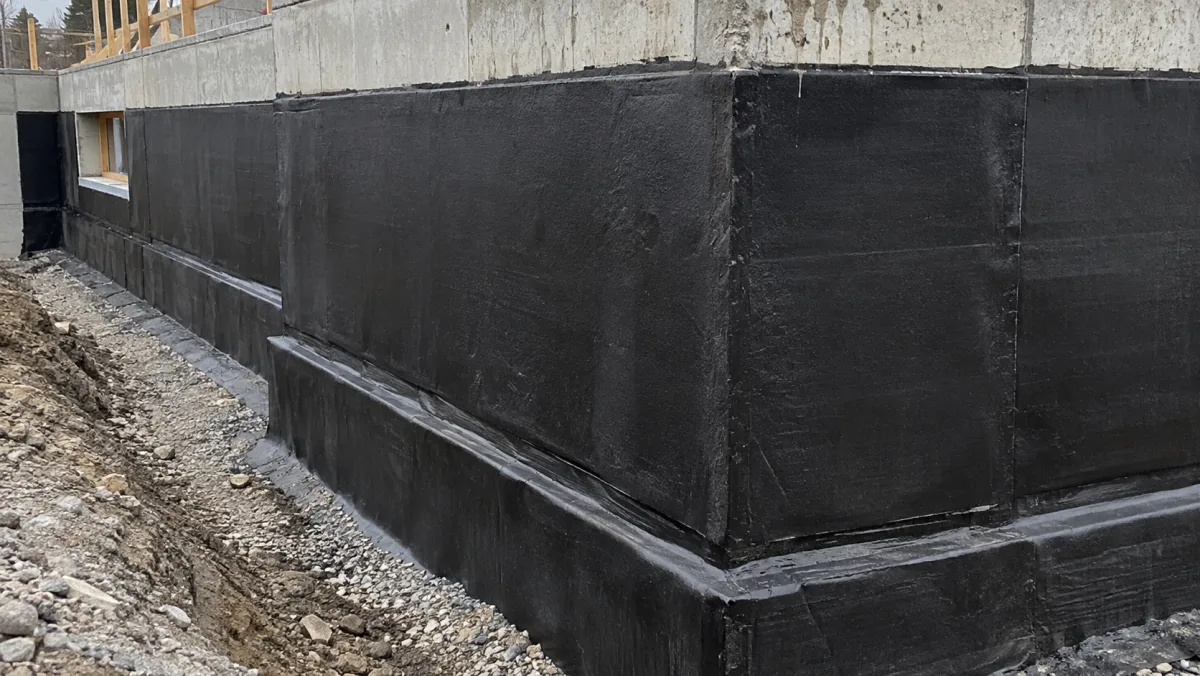
Require a photo or note before a step can be marked complete. Know it got done the way you expect.
The right how-to, right when they need it.
Your team scans a QR code on site or taps a link and sees how it’s supposed to be done, in English or Spanish.
For assigned work, Subtrak automatically texts the right person when a step is due. They tap the text, read the how-to, add photos or notes, and mark it complete. All they need is a phone number. No app to download, no password to remember.
Thursday, on site
Oakwood Business Park
Confirm roof is watertight
Due today- Inspect roof seams and penetrations
- Photograph the completed work
- Record any remaining issues
Proof of completion · 3 of 3 photos
Note
Roof is now watertight. Pictures attached.
Oakwood Business Park
Confirm roof is watertight
✓ CompletedCompletion record
3 photos attached
Note
Roof is now watertight. Pictures attached.
Tap the message to open it, the way your crew would.
Interactive example · sample data
Built by a contractor who knows how much you carry in your head.
I’m Jon Engquist, founder of Subtrak and a third-generation roofing contractor.
After 20 years in construction, I knew how to run a successful project. But those best practices lived in my head and the heads of a few experienced people. We needed a way to make sure everyone knew what it took.
I built Subtrak to get those standards out of my head and into my team’s hands. A checklist they could follow, with the how-to behind every step, so nothing fell through the cracks.
If you want help getting started, I’ll build your core project systems with you in 30 days.
 Jon Engquist · Founder, Subtrak
Your standards aren’t too high. Your team just needs a better way to follow them.
You’re bringing on a new PM or estimator.
They know construction. They don’t know how your company does it. Give them your way, right when they need it, without teaching every detail yourself.
Project teams run jobs a little differently.
Put one playbook behind every job, from startup to closeout, so the steps that matter don’t get skipped.
You wrote SOPs. Nobody uses them.
SOPs don’t help if nobody can find or use them. Put yours on your team’s phone, where the work happens.
Frequently asked questions
Answers about construction SOPs, your company playbook, and getting your team the information they need.
What is Subtrak?
Subtrak is construction SOP software. It gives you one place to turn your company’s know-how and best practices into a playbook your whole team can follow. Your team gets the how-to right when they need it, in the office or on the job, in English or Spanish.
Use it as a playbook your team looks things up in. Or run any process as a checklist on a job, and Subtrak reminds people and shows you it got done the way you expect.
Does Subtrak replace our project management software?
No. Keep your job info, schedules, and budgets in Procore, Buildertrend, or JobTread. Subtrak holds how your company does the work, from project startup to truck maintenance. If you use JobTread, your Subtrak checklists show up there as to-dos, with the how-to behind them.
Is it just for project procedures?
No. Most companies start with projects. Then they add estimating, safety, hiring, billing, and equipment. Your playbook can hold company policies, job descriptions, and your org chart, too. You can use it to look things up without setting up projects or checklists.
We already have SOPs. Can we use them?
Yes. Bring the SOPs, checklists, and notes you already have, and put them in your playbook. Add photos, videos, or files where they help. Most SOPs fail because they live in a binder or a folder. In Subtrak, they show up on the job, on your team’s phone.
How does my team access the instructions?
Office staff sign in with email and password. Your crew just needs a phone number. They get a text, tap the link, and they’re in. No app to download, no password to remember.
You can also post a QR code on site. Write it once in English, and your team can read it in Spanish.
Can you build our SOPs with us?
Yes. In the 30-Day Project Systems Build, you work with Jon Engquist, Subtrak’s founder and a third-generation contractor. We build your nine core project systems with you, from lead to closeout. You review them, and we train your team to use them.
What if we haven’t documented anything yet?
That’s fine. Start with something you explain all the time, like project startup. Use one of our construction templates, write it yourself, or talk it through and let AI draft it. You don’t need a full manual to start. Or have us build your core project systems with you.
What happens after implementation?
Your playbook stays in Subtrak. Your team keeps using it, and you keep improving it as your work changes. Add more yourself, or have us build the next part of the business.
Your team shouldn’t have to call you for every answer.
Take a vacation. Your team still knows what to do.